Questions artists are really asking
Do I need my own space if I already use Instagram?
Think about what each destination does for your fans. Social posts help people notice a song. A public artist website can hold your contact details, show dates and links. Your music app gives Android listeners a focused place to return to your catalog.
Make provides the private artist dashboard and branded Android listener app; it does not build a public band website. Start with the channels you can keep useful and updated. An app is a good fit when you have music to share and people you can invite.
Can I keep Spotify and also have my own app?
Yes. Make does not require you to remove your music from existing services. You can keep your distribution and offer your app as another listening destination, provided you have the rights and permissions to share those recordings. Explain what is worth opening your app for: your catalog together, a bonus version or an early release.
How do I share unreleased songs without giving away MP3 files?
Choose whether the music is ready to be public or needs to stay confidential. You can publish early releases and bonus tracks in your app. That is different from sending a private demo to selected people: anyone who gets your shared app can access its published catalog.
Streaming is not a promise against copying or recording. If a track must stay confidential, use a separate controlled sharing process instead of publishing it in your fan app.
How do I get real listeners instead of empty play counts?
Start with people who already enjoy your music: people at your shows, your existing followers and listeners who ask about your songs. Make the invitation personal and specific. Tell them which song to start with and how to get the app.
Use the available listening and credit reports to review activity, then ask people what they enjoyed. Recorded activity is not a guarantee of unique fans or full-song listens. Make builds and hosts your app; it does not sell listeners, guarantee growth or pay royalties per stream.
What MakeMeAn.App gives you
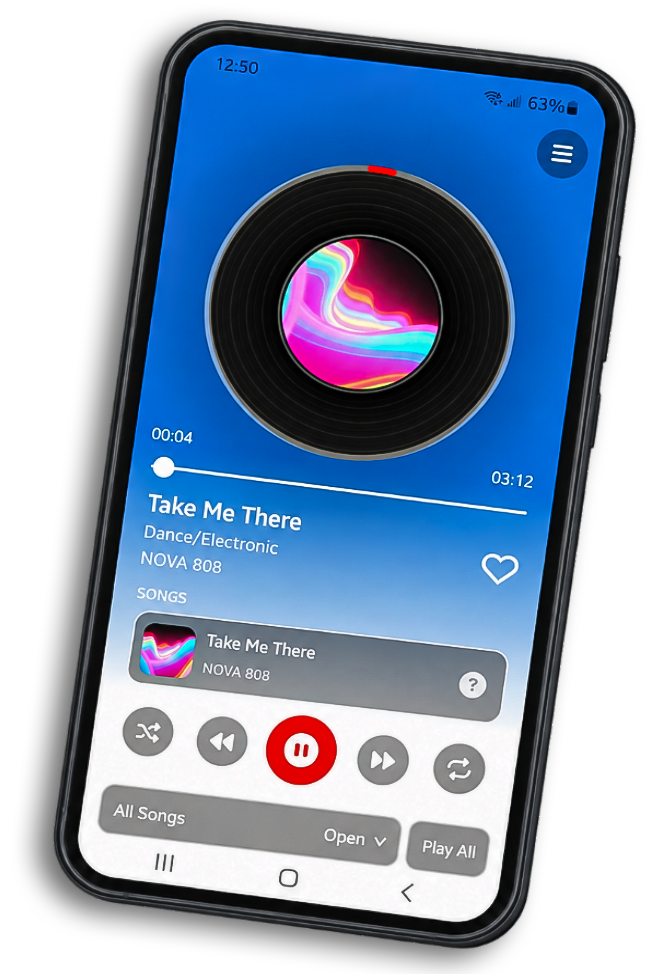
- Your own branding: a manually built Android app using your approved app name, icon and splash image.
- Your catalog: room for up to 1,000 active songs and 100,000 included stream credits in the first-year package. Credits are a playback allowance, not a promise of 100,000 different listeners.
- Music you can update: upload MP3s with artwork and genres, then change the catalog without rebuilding the APK. App name, icon and splash changes are separate from music updates.
- A private dashboard: review the available listening reports, credits, service renewal and support messages.
- A choice of music source: use your own Make uploads, or choose FIYA music if you already have a FIYA artist catalog. The FIYA connection is reviewed. You do not need FIYA membership for an uploads app.
- Room for another project: manage more than one app under your login. Each new app has a separate purchase, name, catalog, stream allowance and renewal.
How do fans install the app?
- Open your public APK sharing link on an Android device and download the file.
- Open the downloaded APK. If Android asks, allow installation from that browser or file app for this installation. Keep security checks on and turn the installation permission off afterward.
- Open your artist app and listen. Fans do not need a Make artist account; an internet connection is needed to stream the music.
The app is delivered directly as an APK, not through Google Play. It does not run on iPhone or iPad and does not offer offline MP3 downloads. You can still manage your artist account and share your public app link from an iPhone browser.
Is this the right fit for your music?
Make is a fit for artists who want a branded Android listening destination and are prepared to invite fans to it. Keep your website and other listening links for the jobs they already do well.
Check the current first-year price, yearly renewal and optional stream top-ups before purchasing. Buying extra streams does not replace annual renewal. Build requests are handled manually, not generated instantly; payment and app delivery are in final testing.
Before submitting your build, check your app name, icon and splash image carefully. Those approved details are locked after submission. Your music catalog can still be updated afterward.
The community questions behind this guide
These original discussions raise the questions covered here. They are independent conversations, not endorsements of MakeMeAn.App.
- Do artists need a website if they use Instagram?Reddit, r/askmusicians, 2026.
- Why send listeners to Spotify instead of other destinations?Reddit, r/musicmarketing, 2026.
- How do you share unreleased material?Reddit, r/musicproduction, 2023.
- Where can I find actual listeners and feedback?HomeRecording.com, Soundcloud / Fake Fans, 2016.